
Lead Docket’s LeadsAI is a paid feature that includes Summarization and Predictive Analysis. Summarization uses AI to summarize data points throughout the lead, so that you can quickly review the major details of the lead. Predictive Analysis uses AI to make predictions for MVA case type leads.
Speak with your Filevine representative to learn more about pricing and customized prompts.
Summarization Types
Summarization includes three types of AI summary fields: leads, messages, and notes. Read below for an explanation of each summarization type, or read the article on AI Summaries setup for instructions on how to set up AI summary fields and custom AI prompts.
Lead Summary
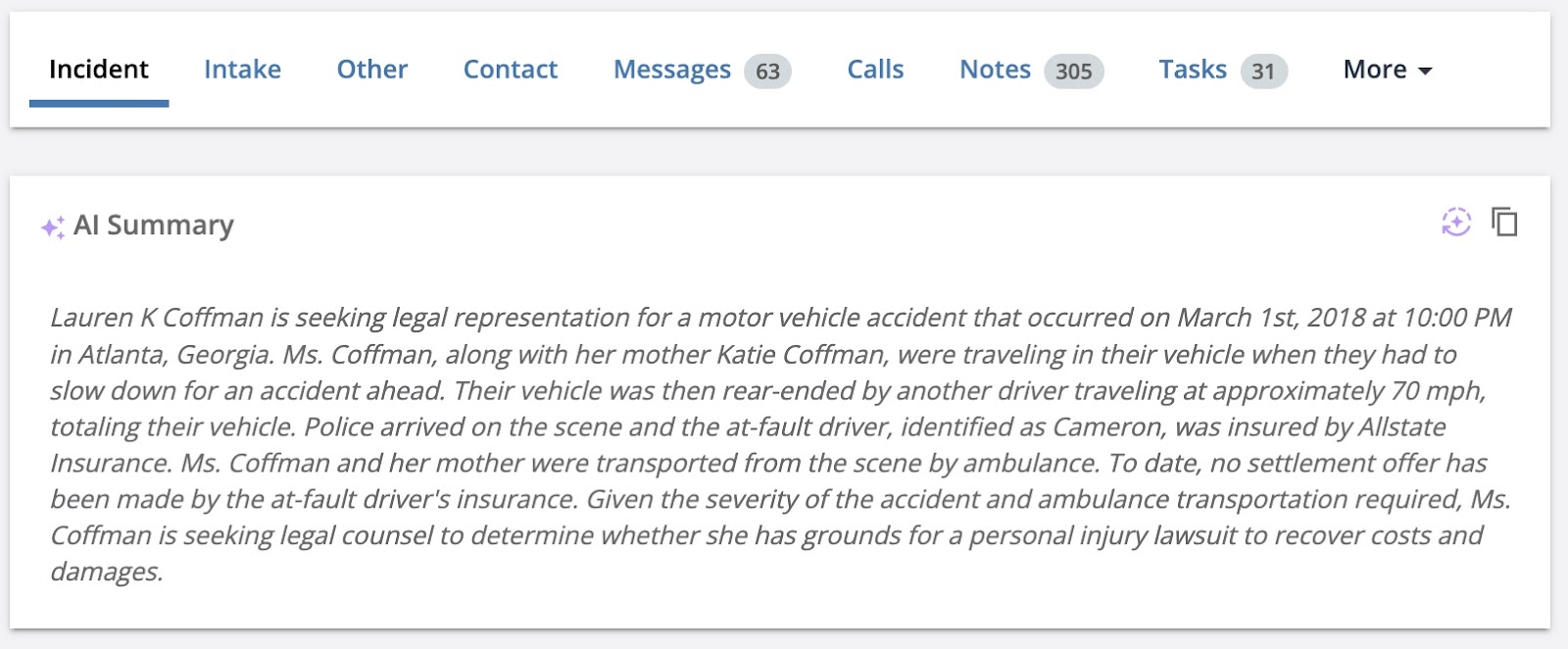
A lead AI summary field pulls from standard and custom fields in the lead to summarize important case details in paragraph form. For example, a lead AI summary field for the personal injury case type could include the party, the incident, the injury, and the current state of the case.
Lead summary fields can be updated:
- Any Time Changes are Saved: whenever changes are made and saved to the fields
- On Demand: whenever the “generate” button is clicked
- Upon Lead Creation, Then Upon Demand: upon initial creation of the summary, and then whenever the “generate” button is clicked
The options for updates can be chosen in the setup process.
Lead summary fields appear at the top of the incident tab in the lead.
Message Summary
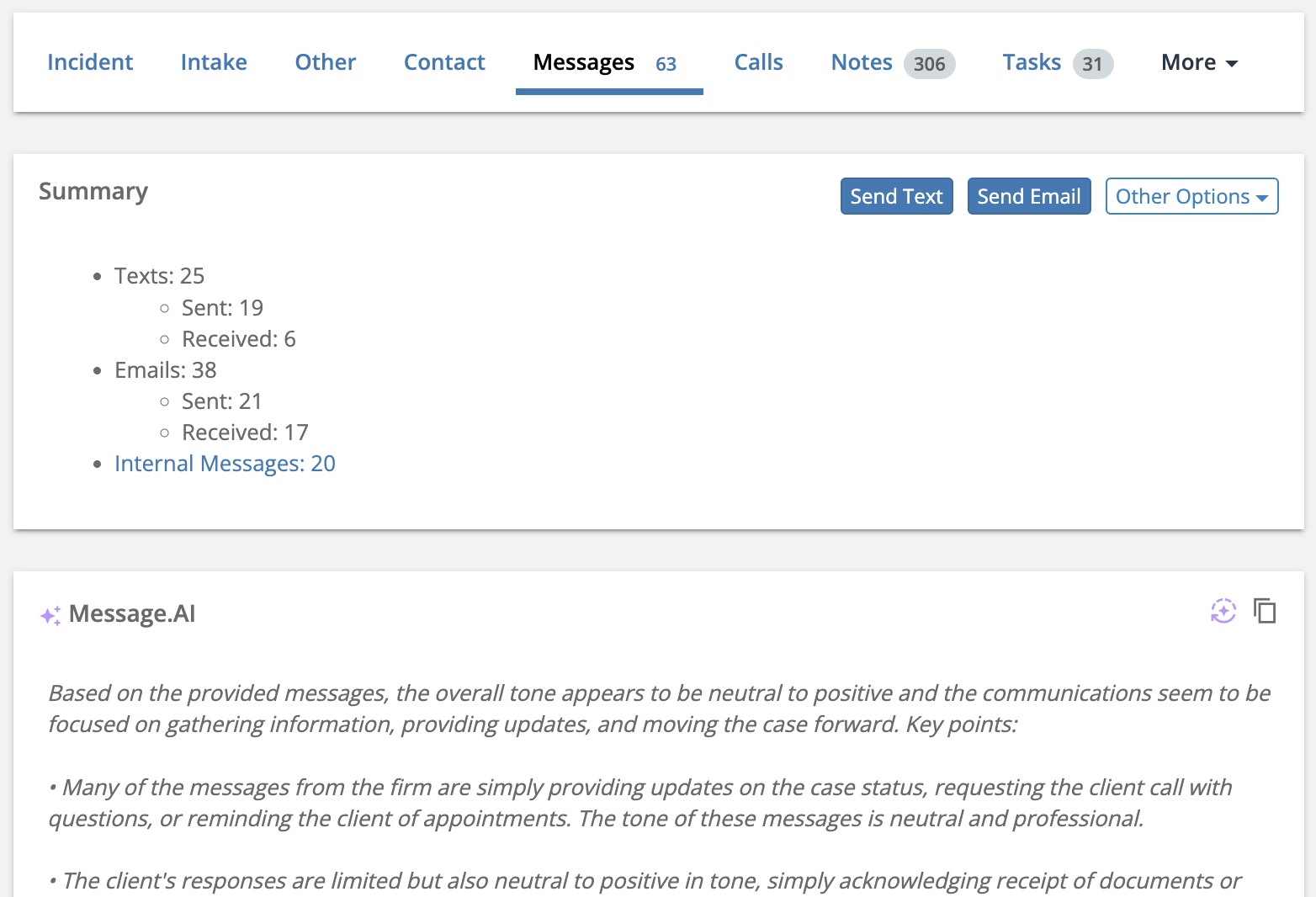
Message AI summary fields pull from the text and email messages in the Messages tab of the lead to summarize in paragraph form the tone of the communication between you and the client. These fields are updated whenever the “generate” button is clicked.
Message summary fields appear under the Summary section of the Messages tab of a lead.
Notes Summary
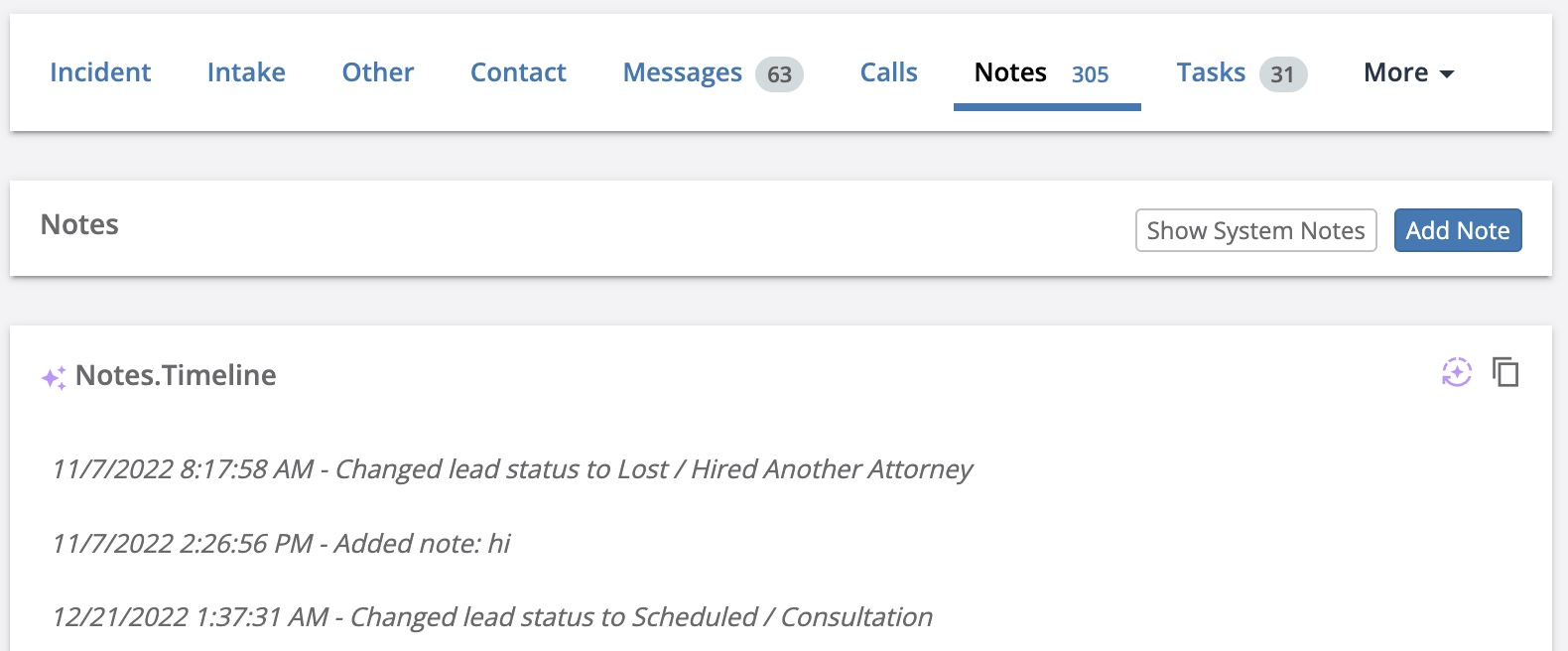
Notes AI summary fields pull from the Notes tab of the lead to give an overview of the highlights of the case in a timeline form. These fields are updated whenever the “generate” button is clicked.
Notes summary fields appear at the top of the Notes tab.
Predictive Analysis
Lead Docket offers Predictive Analysis for MVA case type leads. Predictive Analysis provides predictions based on a machine learning model using lead data. Learn more about setting up AI fields.
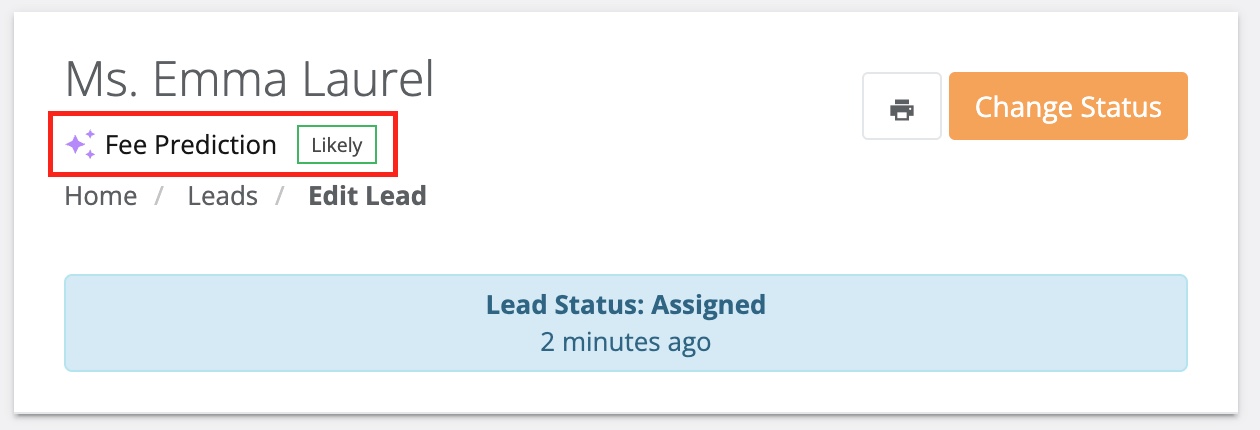
Once you fill out the intake form and create the lead for any MVA case type, Lead Docket predicts one of five options:
- highly likely
- likely
- unknown
- unlikely
- highly unlikely
The tag may change as data is added or adjusted for the lead.
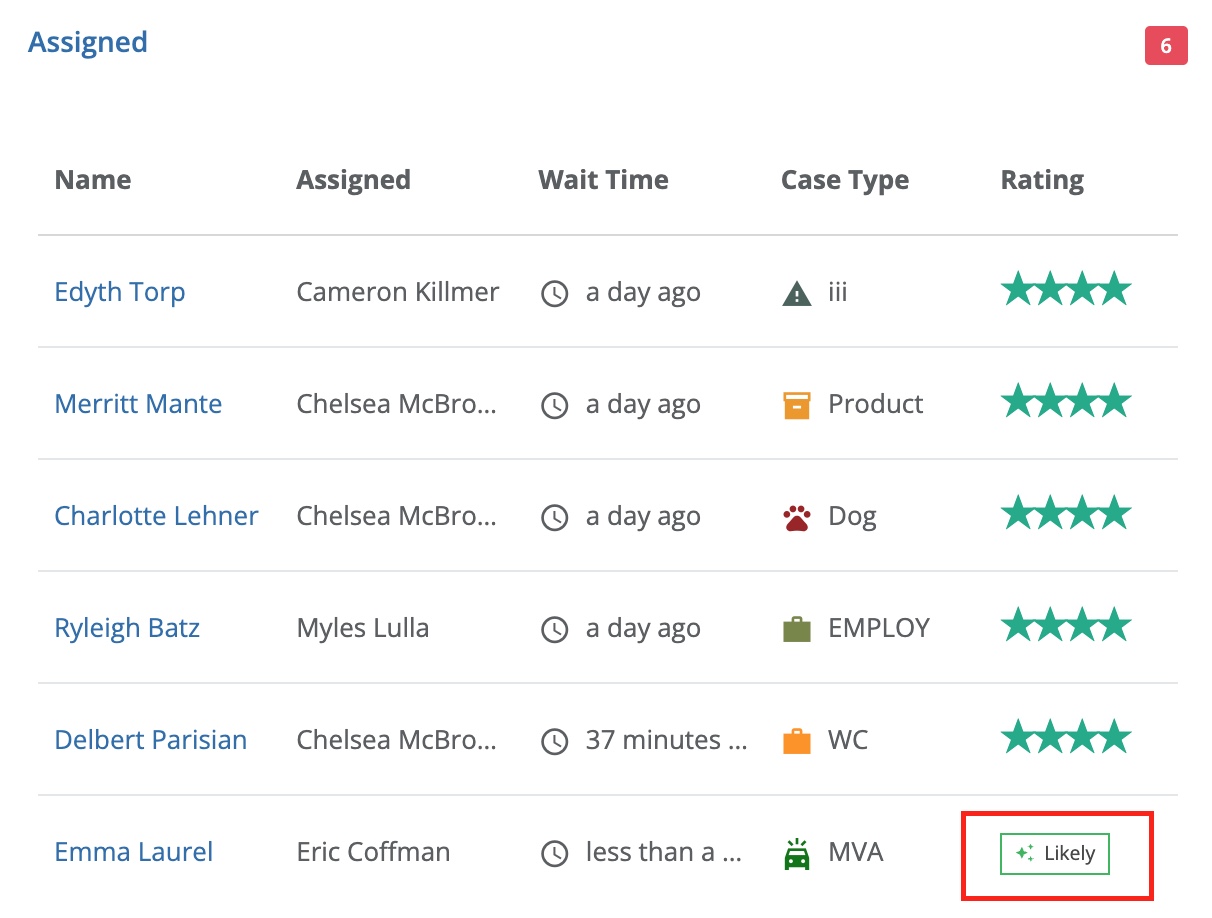
This tag is shown underneath the lead name at the top of the open lead. On the dashboard, for MVA case types, the predictive analysis tag will also replace the rating.
Comments
0 comments
Article is closed for comments.